Crew Comms
A Cardo in your pocket — the crew intercom with nothing to pair.
ADVx Pro — what's included
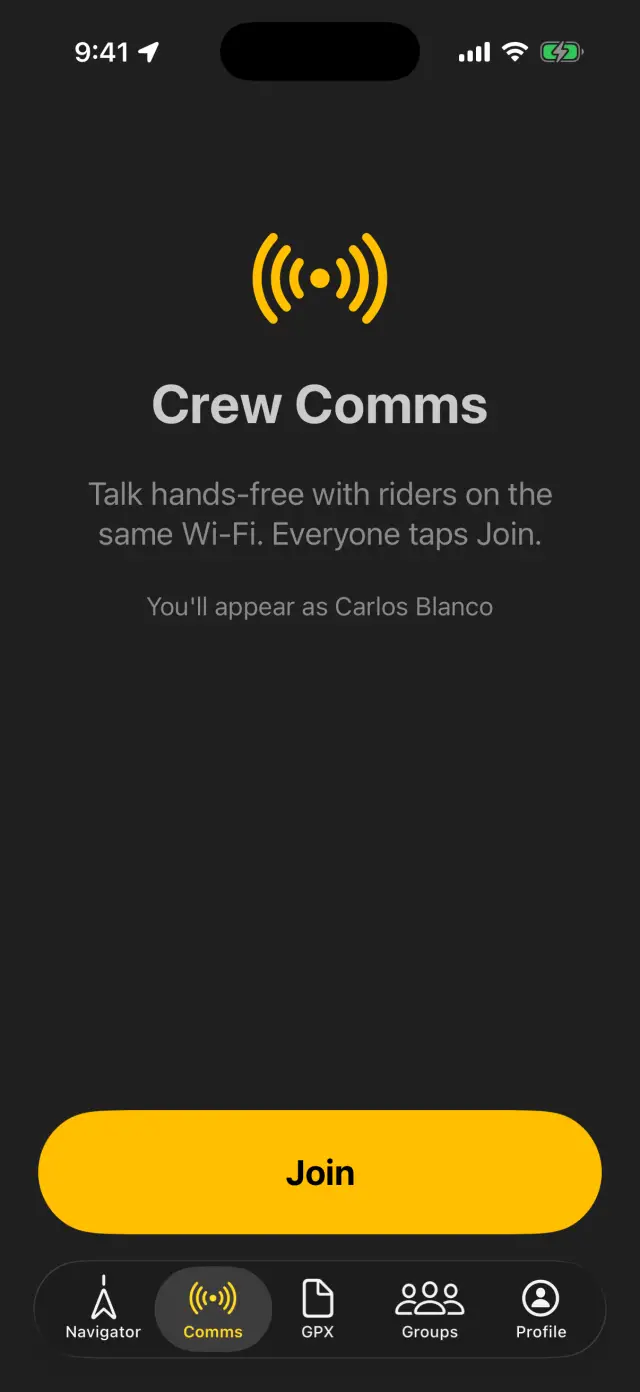
Talking
- Get everyone on the same Wi-Fi (any network — or a rider's hotspot, below).
- Open the Comms tab, tap Join. Phones find each other on their own — nothing to dial, nobody to invite.
- Talk. It's an open-mic, hands-free intercom for up to 8 riders: full-duplex, everyone hears everyone. Mute when you're snacking; Leave when you're done.
The roster shows each rider's state — Connected, Reconnecting… — and comms survive a phone call: you'll see "Comms paused — on a call" and rejoin automatically after.
No Wi-Fi out there? Hotspot hand-off
Middle of nowhere, zero bars — the crew brings its own network:
- One Android rider hosts: Crew Comms → "No Wi-Fi? Host a hotspot". Their phone becomes the network and shows a QR code (Show QR).
- Everyone else scans it: on iPhone, Crew Comms → "Join a rider's hotspot" and point the camera at the QR — the phone hops onto the hotspot by itself. Android riders can scan it straight from the camera. There's a type-it-in fallback if a camera is being difficult.
- Everyone taps Join. Same intercom, no internet involved.
All-iPhone crew? One rider turns on their Personal Hotspot (Settings → Personal Hotspot → Allow Others to Join, with Maximize Compatibility on), the rest join it, then everyone taps Join.
Good to know
- Nothing goes through the internet or any server — voice hops phone-to-phone on the local network. No coverage required, ever.
- Range is Wi-Fi range: think riding in a group, staging areas, camp — not miles of separation.
- On CarPlay the car screen shows comms status and joins with a tap; the mic permission lives on the phone.
- First join asks for microphone access — if you declined it once, flip it on in Settings.