Remote GPS
A big Navigator on the handlebars, even on an iPad with no GPS chip.
iPhone and iPad — Android support is on the way.
The problem it solves
Wi-Fi-only iPads have no GPS chip — great screen, blind to where you are. Remote GPS fixes that: your iPhone broadcasts its position over the phone's own hotspot, and the iPad's Navigator rides on it — moving map, turn-by-turn, recording, all of it.
Set it up once
- Join the iPad to the iPhone's hotspot (same hand-off you'd use for Crew Comms).
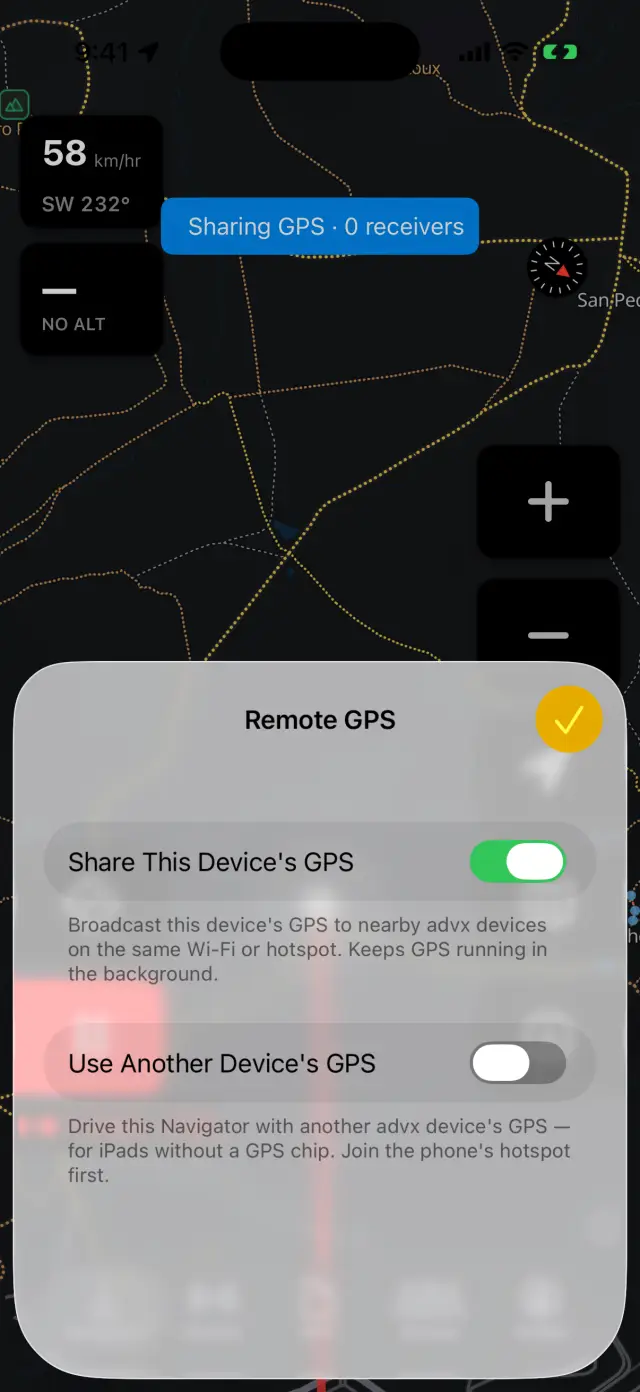
- On the iPhone: in the Navigator, long-press the map button → Remote GPS… → switch on Share This Device's GPS. The blue "Sharing GPS" strip appears — and iOS shows its blue location pill, which is what keeps the GPS alive with the screen off.
- On the iPad: same menu → switch on Use Another Device's GPS. With one rider sharing nearby it connects by itself; with several, pick yours from the GPS Source list.
The iPad shows "GPS from <your iPhone>" and the puck starts moving. From then on it's automatic: iPad on the hotspot + sharing on = connected.
Good to know
- The iPad remembers it's a receiver across restarts. Sharing on the phone is per-ride — flip it on when you head out.
- Signal drops (phone app closed, hotspot blip) show "Remote GPS: signal lost" on the iPad; it reconnects on its own as soon as the phone is back. No taps needed.
- Both devices ask once for Local Network access — allow it, that's the pipe the GPS travels over.
- Recording on the iPad records the ride using the phone's GPS — the track is as good as the phone's fix.