Tracks, Groups & Waypoints
The home base: your rides, your crew, your pins.
Your GPX library
The GPX tab (and GPX Files on the web) holds every track — uploaded, planned, or recorded. Each one gets distance, elevation gain/loss, moving vs. stopped time, speeds, max grade, biggest climb, GPS accuracy, and an elevation chart. From a track you can:
- Load into Planner to edit it, Reverse it, Download the GPX, or attach up to three photos.
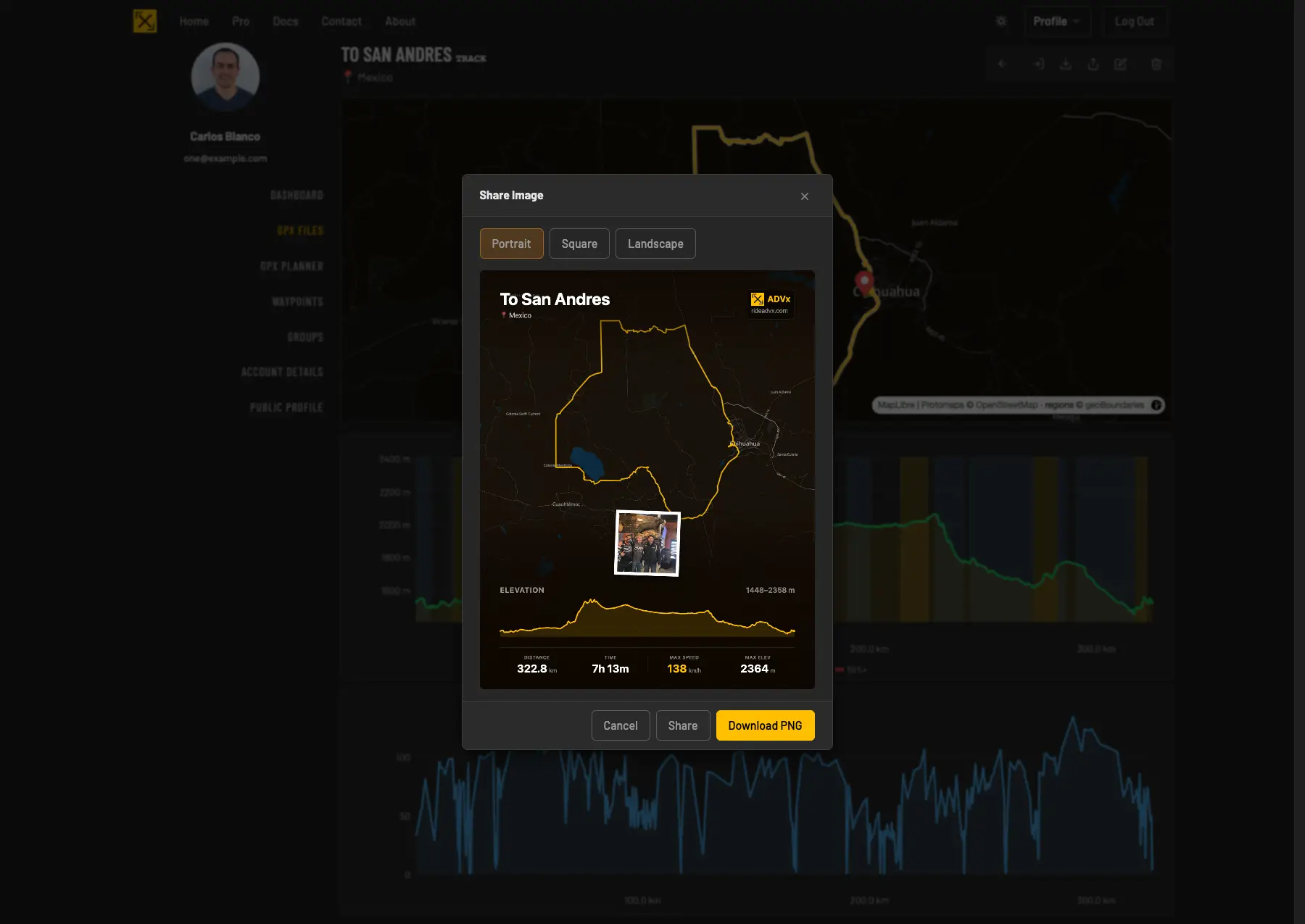
- Share Image — a ready-to-post ride card with the map, elevation profile, and headline stats (landscape, portrait, or square).
- Share it into any of your riding groups.
Rename a track here and the apps follow: the new title reaches your devices the next time they refresh the track list, and the Navigator picks it up for the track it's currently holding too.
Riding groups
- Create a group in the Groups tab (New Group), give it a picture.
- Invite a Rider by email — invitations sit under Pending Invitations until accepted.
- Share tracks and waypoints into the group — everything shared is visible to every member, so route beta stops living in group chats.
Waypoints
Pin the spots that matter — fuel, water, campsites, sketchy crossings — under Waypoints or straight from the Planner's waypoint mode. They're organized by category, show on the planner and dashboard maps, appear in the apps' Ride to picker (so you can route to them offline), and can be shared into groups.
Dashboard and your public profile
The Dashboard turns your library into bragging rights: recent activity, personal records (longest ride, biggest climb, top speed, ride streak), achievements, distance by country, and yearly totals. Set a profile slug and you get a public rider page at rideadvx.com/x/you — featured map, ride résumé, and a link that unfurls with your stats anywhere you paste it.
Good to know
- Recorded rides land here automatically — see Recording Rides.
- Anything in the library is available to navigate in the apps; tracks you've opened on the phone stay cached for offline.