Getting Started
From zero to your first recorded ride.
1. Create your account
Sign up on rideadvx.com, verify your email, and you're in. Your account is the same everywhere — the website and the apps share your tracks, waypoints, and groups.
2. Install the app
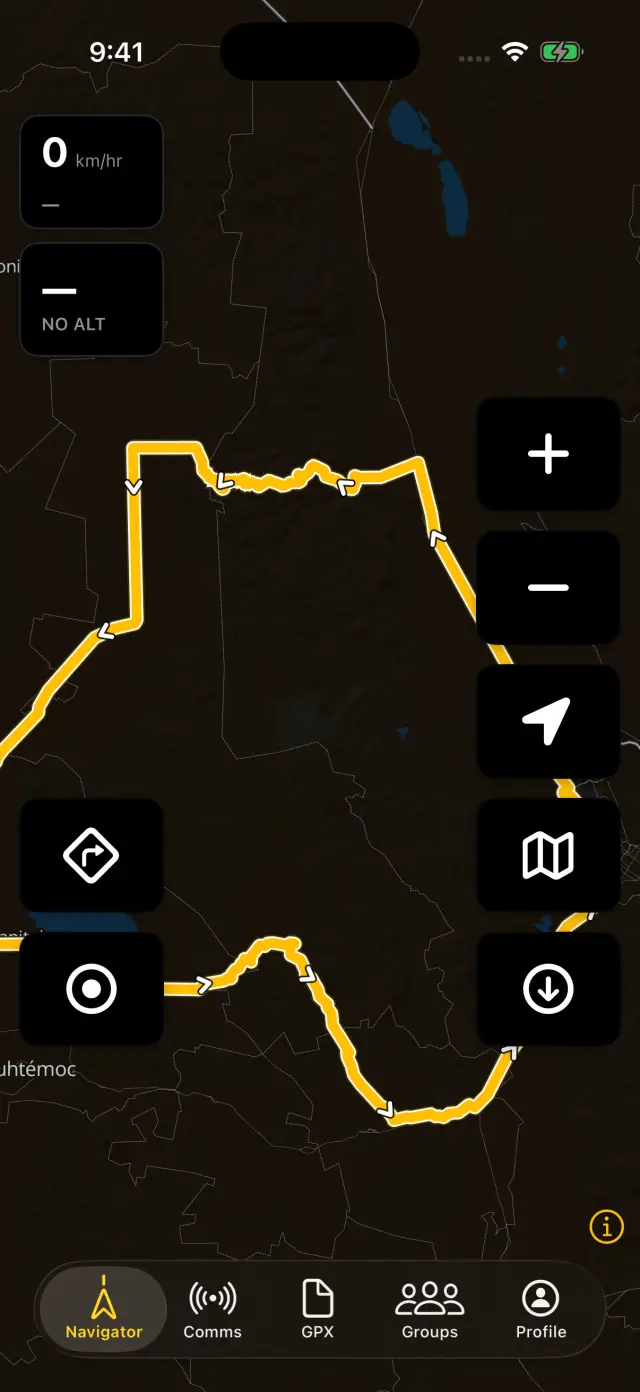
ADVx runs on iPhone and Android. Sign in with the same account and you'll find five tabs along the bottom:
- Navigator — the offline map, navigation, and recording. Lives on your phone; works with zero bars.
- Comms — the crew voice intercom.
- GPX — your track library.
- Groups — your riding groups.
- Profile — your account, stats, and subscription.
3. Download your maps
First time you open the Navigator it offers the world map — a one-time download that keeps the map alive anywhere on earth. Take it. Then grab full street detail for where you ride: the app suggests the region you're looking at, or browse the catalog yourself. Details in Offline Maps.
4. Get a route on the map
Tap the map button in the Navigator to open GPX Tracks & Navigation, then GPX Tracks for any track in your library — or plan one first in the GPX Planner on the web. It shows up on the phone automatically.
5. Ride
Start moving and navigation wakes up on its own: voice cues for the turns, an off-track warning if you drift. The navigation button — bottom-left, once a route is loaded — starts and stops it by hand if you'd rather not wait. Tap the record button before you roll and the whole ride — distance, elevation, speed — lands in your GPX library when you're done. That's it.
Good to know
- The free tier covers maps, GPX navigation, recording, the planner, groups, and waypoints. Offline region downloads need your (free) account and cover 3 new regions a month — updates to regions you hold are always free. Crew Comms, ADV Routing, terrain & detail packs, route weather, CarPlay / Android Auto, and unlimited region downloads are ADVx Pro.
- Everything the Navigator needs is on the phone before you ride — the trail doesn't care about your coverage map.